
Add folios to folders
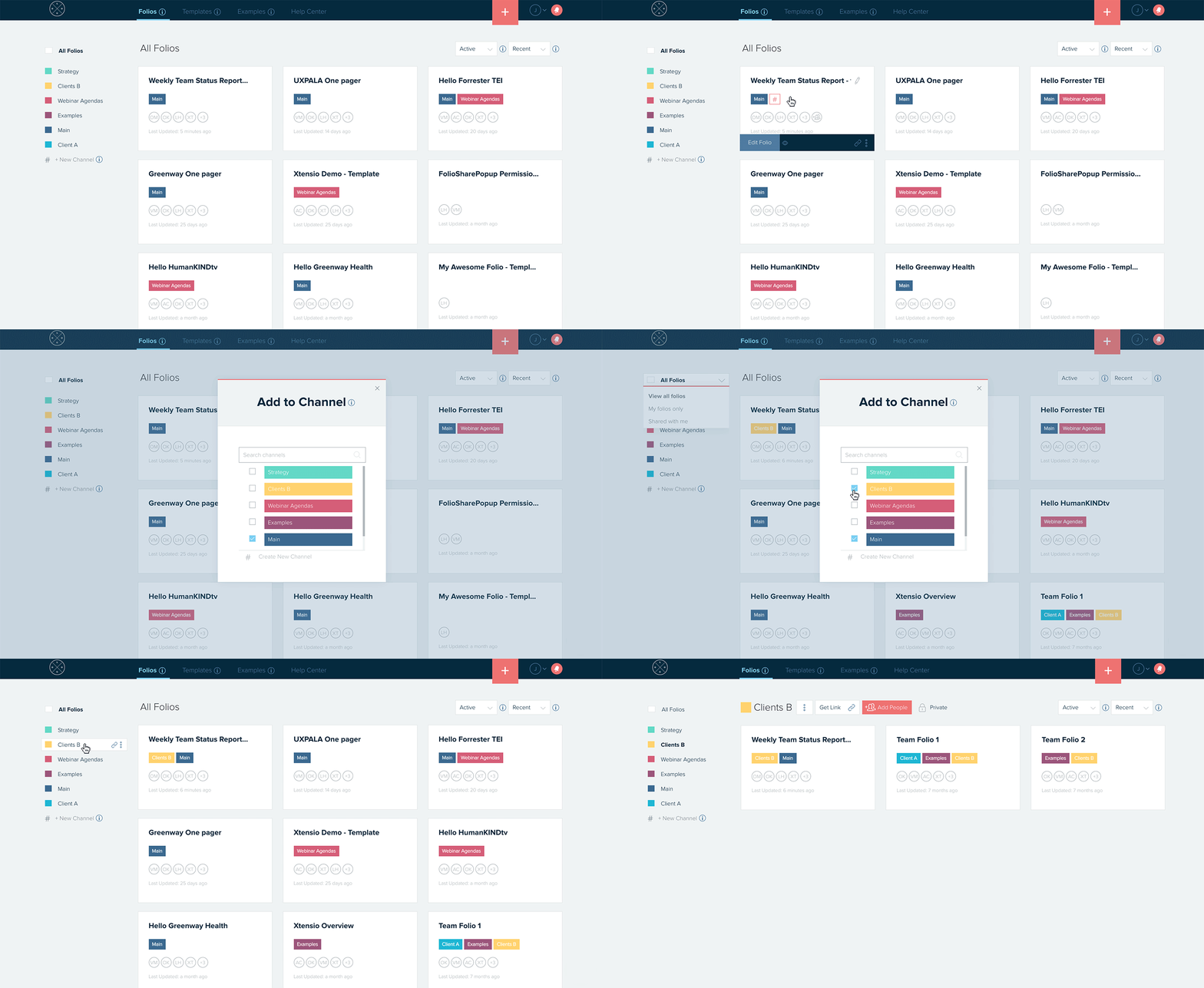
- Hover your mouse above a folio and press on the # icon next to the labels. A popup will appear prompting you to select from the folders you’ve already created, or you can type in a new category name.
- You can attach as many folders to a folio as you’d like. Add and remove folios from folders whenever you need, as your folios progress, to keep everything organized and your whole team on track.
Here are other things you can do with folders:
- Create a new folder.
- Adding and removing folder collaborators.
- Learn about folder user roles.
- Add folios to your folder.
- Customize the folder landing page.