
Your dashboard
Your dashboard is home: everything you’re working on, organised into project workspaces.
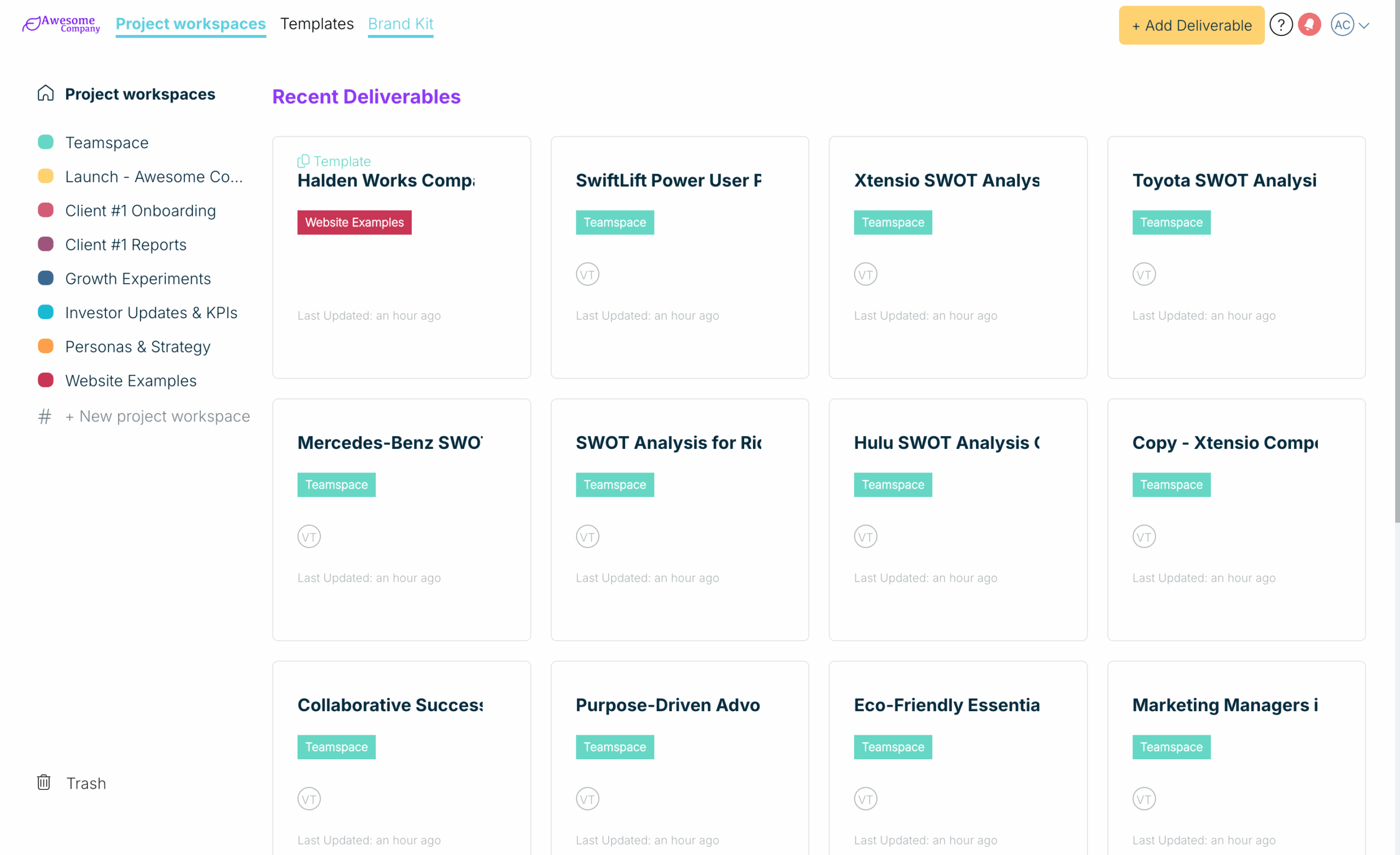
- Top navigation: Project workspaces, Templates and Brand Kit, plus + Add Deliverable.
- Sidebar: your project workspaces, + New project workspace, and Trash at the bottom.
- Deliverable cards: hover over one to Edit Deliverable, copy its link, add people with +, rename it with the pencil, or open its ⋮ menu (Duplicate, Move to project workspace, Engagement Analytics, Save as Template, Delete).
Create something new
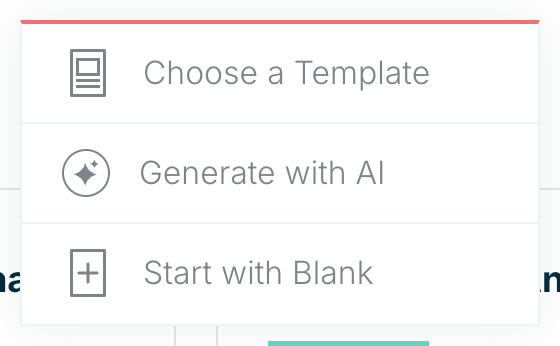
Choose + Add Deliverable and pick Choose a Template, Generate with AI or Start with Blank.
Related: Your dashboard · Create a new project workspace
Was this article helpful?