
Share a weblink
A live link is the easiest way to deliver your work. Anyone you send it to sees the latest version in their browser, with no account needed, and every edit you make shows up automatically.
- Choose Share at the top right of the editor.
- On the Get Link tab, choose who can see it (below).
- Choose Copy Link and send it.
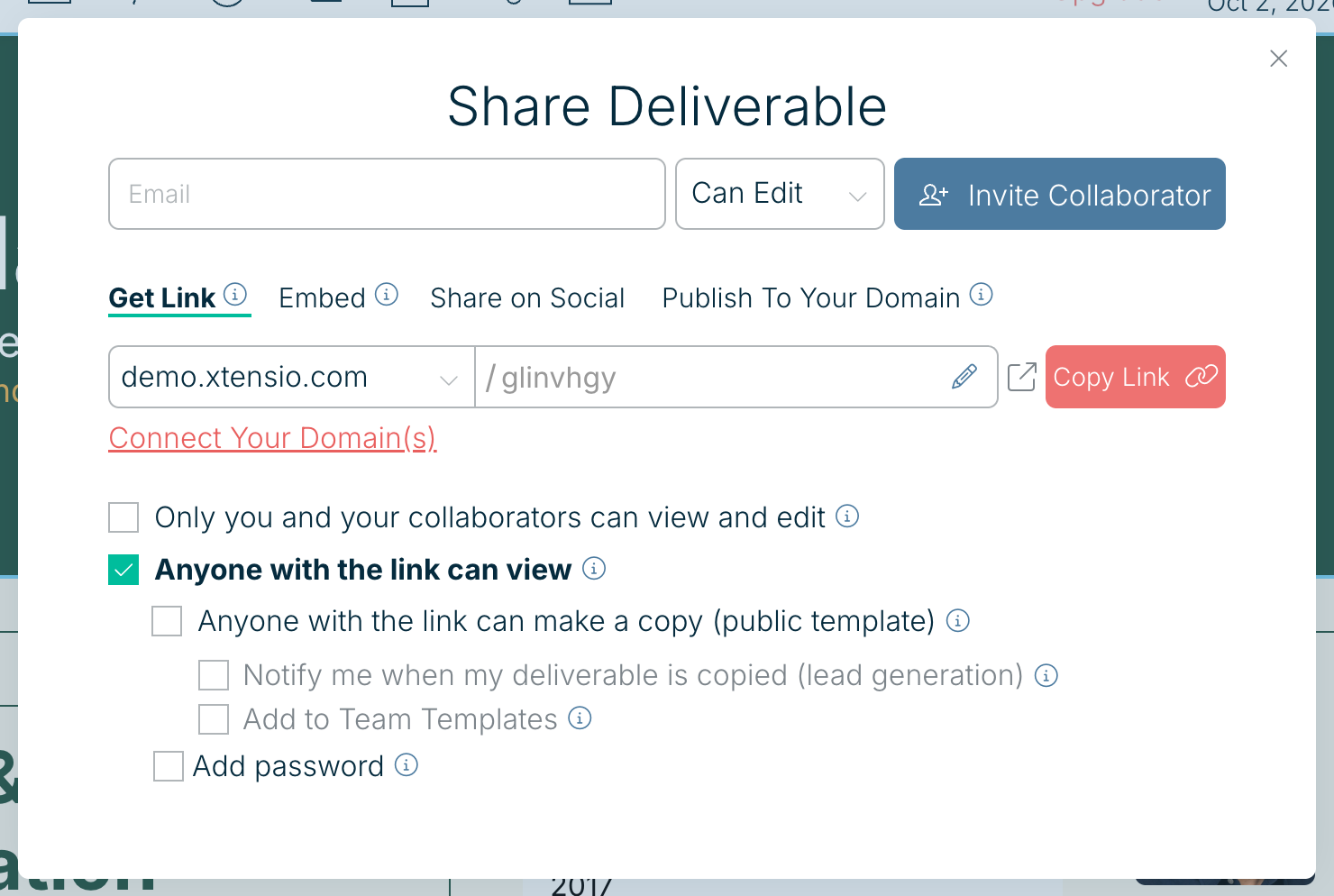
Who can see it
- Only you and your collaborators can view and edit: private.
- Anyone with the link can view: the usual choice for sending to clients.
- Anyone with the link can make a copy (public template): visitors can copy it into their own Xtensio account.
- Add password: viewers need a password. See Add password protection to shared links.
More ways to share
The other tabs in the same panel let you Embed it on a website, Share on Social, or Publish To Your Domain. You can also invite people by email at the top of the panel.
Custom link names, password protection, embedding and publishing to your own domain are part of Xtensio Plus. On Free, shared links show a small Xtensio badge.
Related: Customize folio links · Embed a folio on your website · Export a PDF, PNG or HTML file
Was this article helpful?