
Duplicate modules
Duplicate in place
- Click the module to select it.
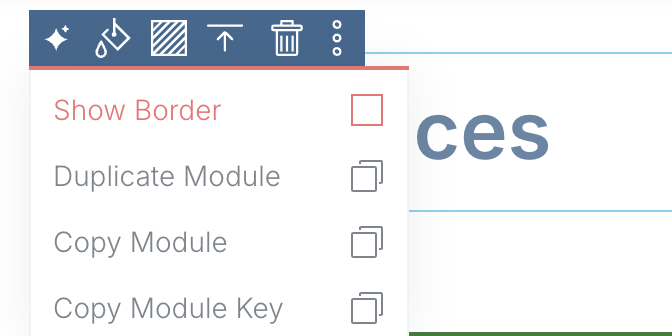
- Click More (the three dots) on its top bar.
- Click Duplicate Module. The copy appears right below the original, with the same content, colours and links. Drag it where you want it.
Copy and paste into another section or deliverable
- Select the module, click More, then Copy Module. “Module copied” appears.
- Go to the section where you want it. It can be in the same deliverable or in another one of yours.
- Open More (the three dots) on the left side of that section.
- Click Paste Copied Module. The copy is added below the section’s other modules.
The copied module stays ready to paste for 24 hours, even if you reload the page or open another deliverable. It’s kept in your browser, so paste it on the same computer and browser you copied it in.
To copy a whole section, use Duplicate Section in the section menu. See Duplicate sections.
Related: Working with modules · Delete a module
Was this article helpful?