
Ways to share your deliverables
Every deliverable can reach people in whichever form suits them:
- A live link they open in any browser. See Share a weblink.
- A password-protected link for confidential work. See Password protection.
- Your own domain, such as
docs.yourcompany.com, using Publish To Your Domain. - Embedded in your website. See Embed a deliverable.
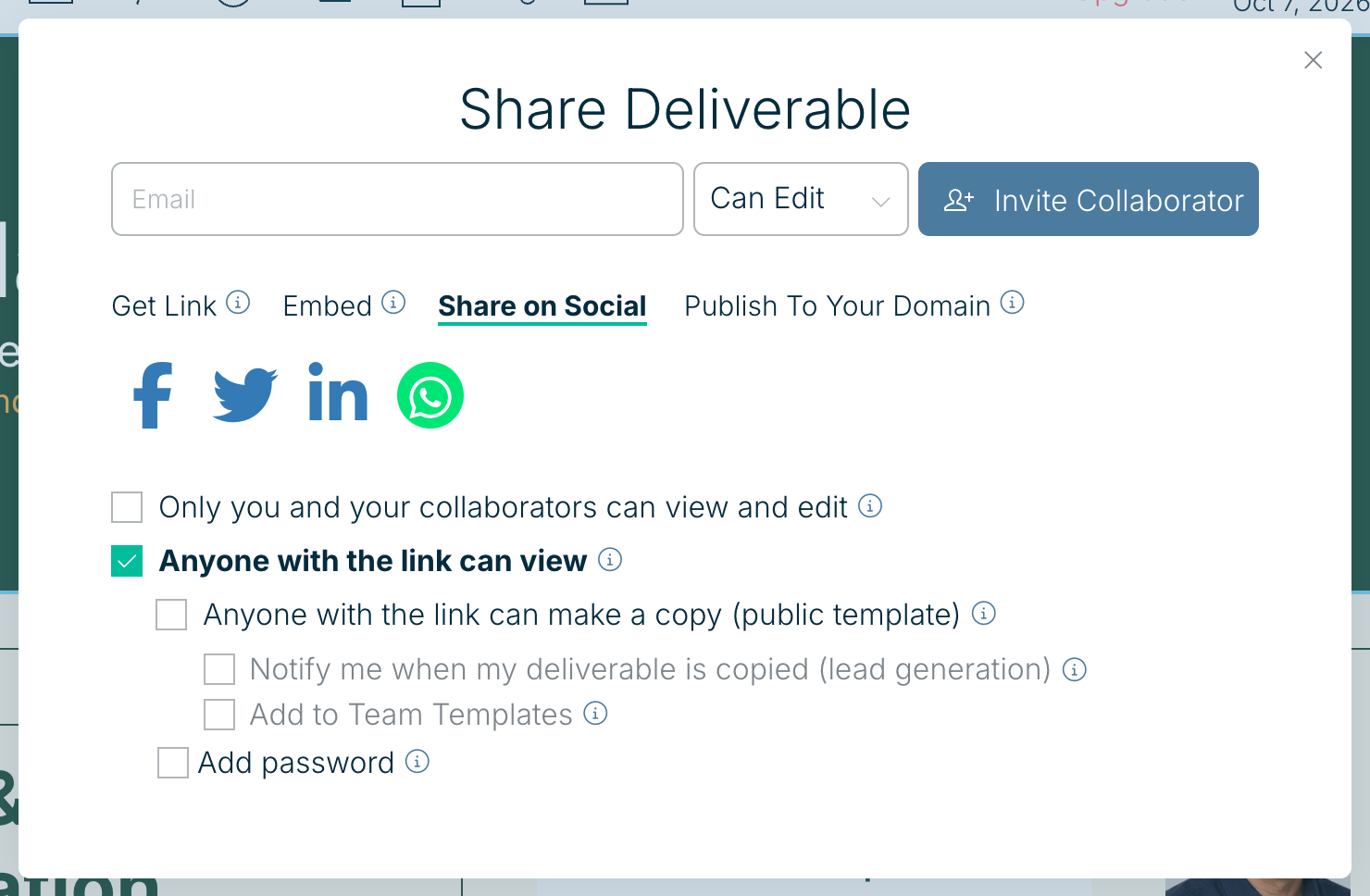
- On social media from the Share on Social tab.
- A PDF, PNG or HTML file. See Export.
- A full-screen presentation. See Present a digital slideshow.
- As collaborators who edit with you. See Adding and removing collaborators.
- As a template your team or the public can copy. See Create custom templates.
Who can see a deliverable
On the Get Link tab of the Share panel you choose who can open it:
- Only you and your collaborators can view and edit keeps it private. Anyone else who opens the link is asked to request access.
- Anyone with the link can view makes it a public link that opens without signing in. Tick Anyone with the link can make a copy (public template) to also let people copy it.
- My team members can make a copy (team template) shares it with your own team as a starting point.
- Add password puts a password in front of the public link.
Custom links, password protection, embedding and your own domain are part of Xtensio Plus.
Was this article helpful?